Sharing your event
Your guest link, event code, QR code and printable poster, and where to put them so guests actually find them.
Guests reach your request page in one of three ways: by scanning a QR code, by opening your guest link, or by typing your event code. All three lead to the same page, and nobody needs an app or an account.
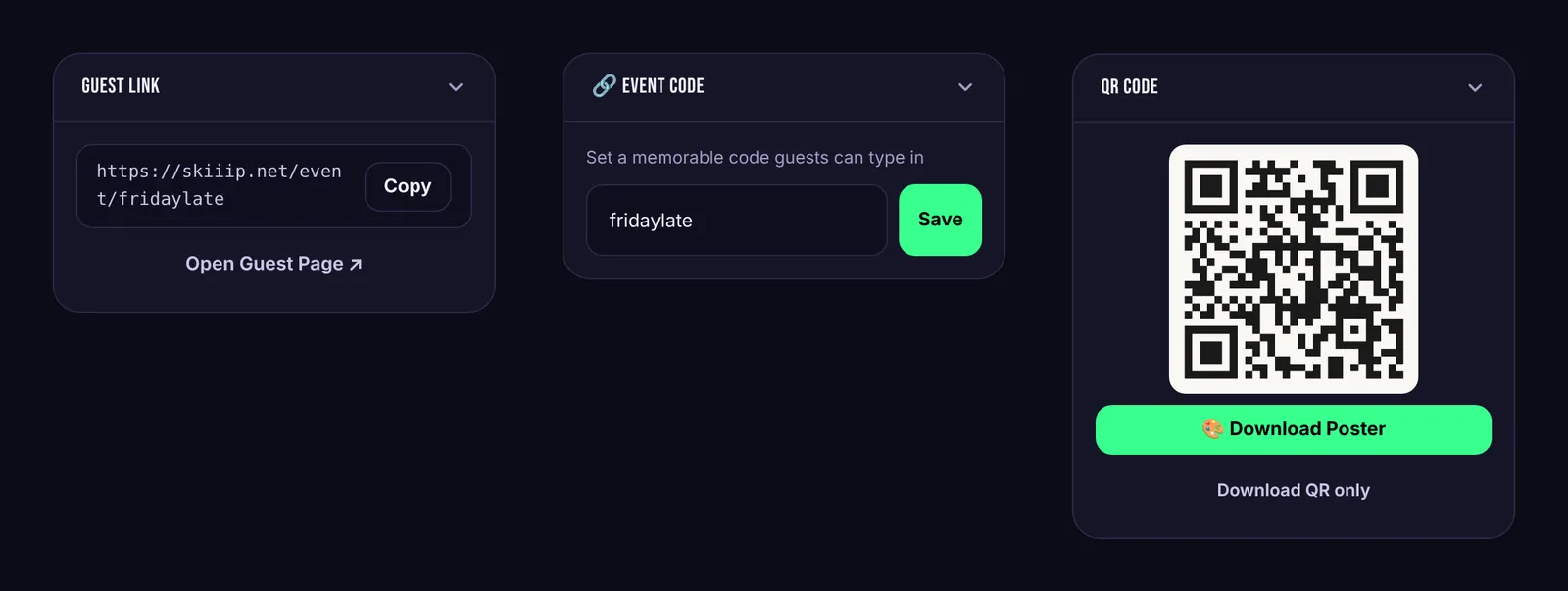
Guest link
The Guest Link card shows the full address of your request page. Use Copy to paste it into an Instagram story, a group chat or an event listing. Open Guest Page shows you exactly what guests see.
Event code
In the Event Code card, set a short code like fridaylate. Codes can use letters, numbers and dashes. Guests can type it in using Have an event code? on skiiip.net, which is handy when someone can't scan the QR code.
QR code and poster
In the QR Code card, press Generate QR Code. Then:
- Download Poster makes a printable poster with your event name, the QR code and a short instruction. Pick one of six colour themes and add your own logo if you like.
- Download QR only gives you the bare code to drop into your own designs.
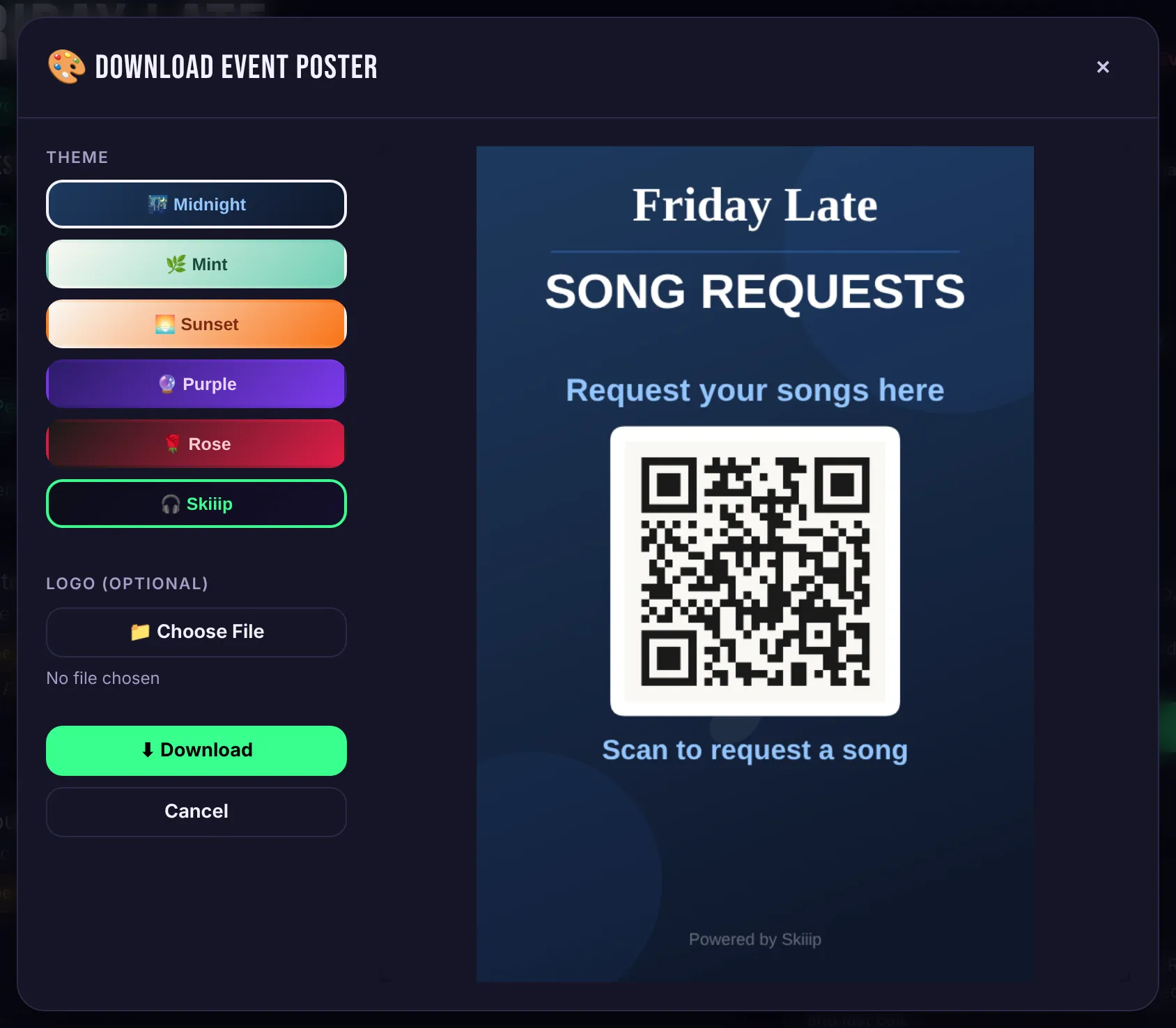
Where to put it
- On the booth, at eye level. People already walk up to the DJ, so this is where most scans happen.
- On tables or the bar, as small table cards.
- On the TV. The venue screen shows your QR code next to the live queue, so the screen does the explaining for you.
Scan every printed code with your own phone before guests arrive.