How guests request and vote
What guests see on their phones, how requests and votes work, and what happens when two people ask for the same song.
Guests use Skiiip in their phone's browser. There's no app to download and no account to create.
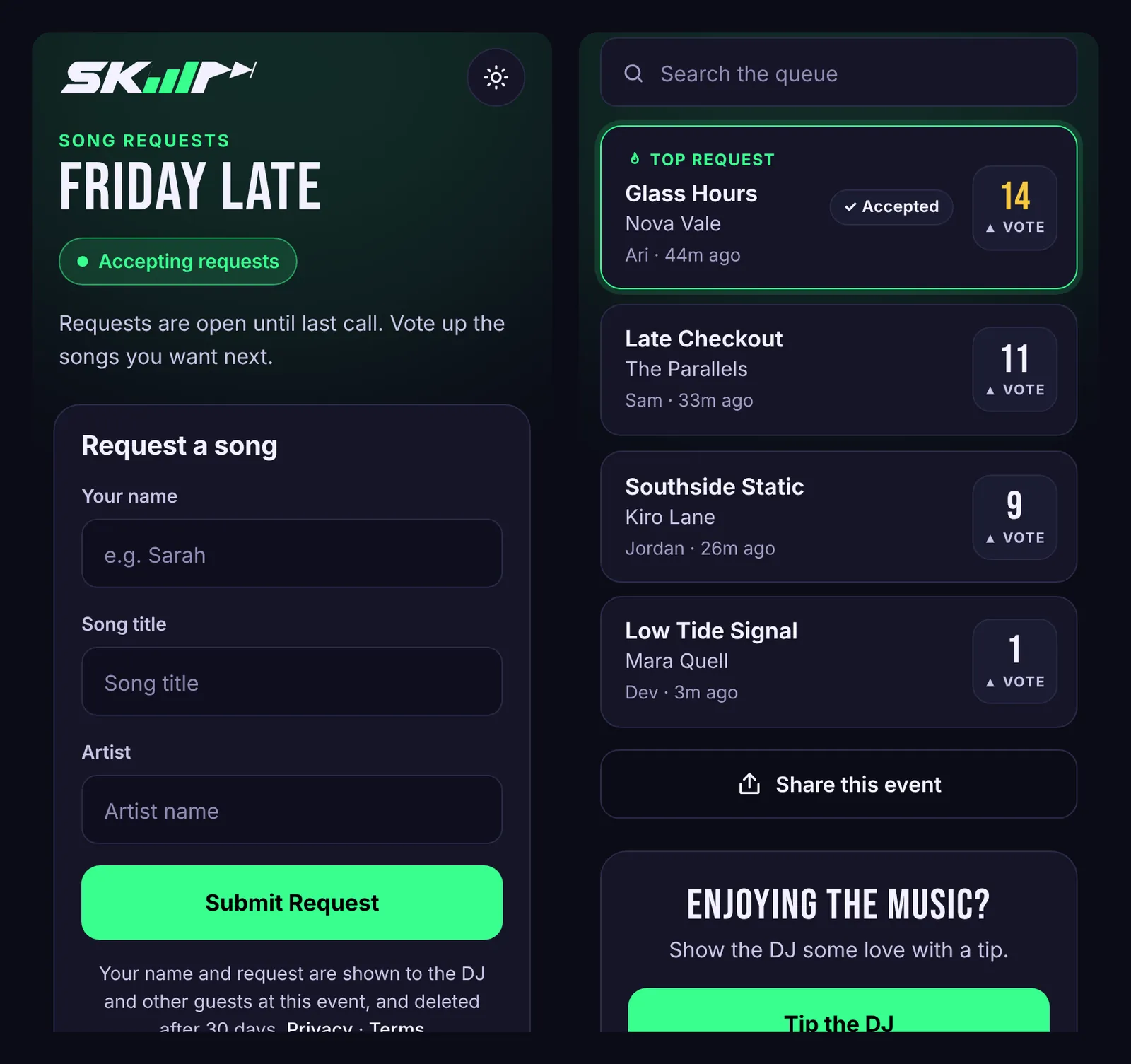
Making a request
Guests fill in three things: Your name, Song title and Artist. A first name or nickname is enough. The request lands in your queue the moment they send it.
If someone asks for a song that's already in the queue, Skiiip counts it as a vote for the existing request instead of adding a duplicate. That keeps the queue clean and pushes popular songs up.
Voting
Below the form, guests see the current queue sorted by votes. Tapping the vote box on a song adds one vote. Each phone can vote once per song, and the box turns solid to show it's been counted.
The song with the most votes is marked Top request, and songs you've accepted show an Accepted label, so the room can see what's coming.
What guests don't see
- Songs you've marked Played or Ignored leave the guest list.
- Your private notes on a request are never shown to guests.
- With Leaderboard mode on, guests only see the songs you've accepted. Pro
Limits you can set
You decide how much guests can request: a cap per guest, a wait between requests, a cut-off time and a location check. These are all in Crowd controls.
Privacy
Guests get no cookies from Skiiip. Their phone keeps a random identifier so limits and votes work. Song requests are deleted 30 days after they're made. The privacy policy has the details.