Booth View
A compact live queue that floats over your DJ software, or runs on a phone or tablet beside the mixer.
Booth View is the request queue cut down to what you need mid-set: the songs, their votes and one-tap controls. It stays current on its own, so you can keep your eyes on the decks.
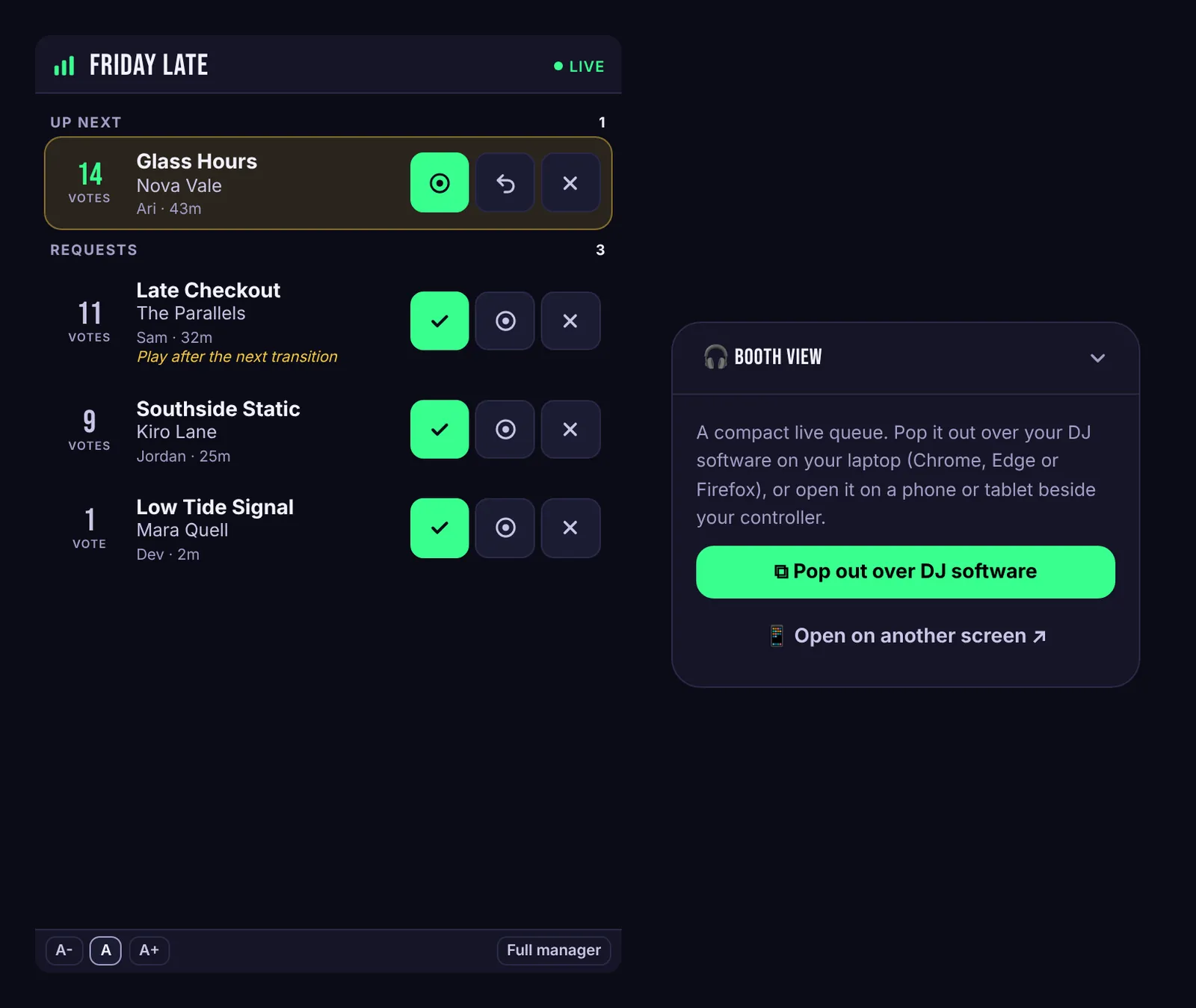
Pop it out over your DJ software
In the event manager, press Pop out above the queue, or Pop out over DJ software in the Booth View card. A small window opens that stays on top of your other apps, so it floats over Serato, rekordbox, Traktor or anything else.
- Chrome, Edge and Firefox keep the window on top of everything.
- Safari opens it as a regular window. It works the same, but it can end up behind your DJ software.
Resize the window to fit your screen. Skiiip remembers the size next time.
Or put it on a second screen
Press Open on another screen to open Booth View as its own page. Open that page on a phone or tablet signed in to your account, and set it beside your controller. The screen stays awake while it's open.
Using it
- Up next shows songs you've accepted. Requests shows pending songs, most voted first.
- The buttons on each row are Accept (check mark), Played (circle) and Ignore (✕).
- Made a mistake? An Undo button appears for a few seconds after every action.
- New requests flash briefly with a NEW tag. Songs with lots of votes are highlighted.
- A-, A and A+ change the text size. Full manager opens the complete event manager.
- The dot at the top right shows the connection: Live when everything's current.